After submitting your Armenia visa application, tracking its progress is straightforward using the official online portal. Whether you applied for a tourist, business, or transit visa, the Armenian Ministry of Foreign Affairs provides tools to check your Armenia visa status at any time during the processing period.
Checking Status via the Official Portal
The primary method for monitoring your Armenia visa status is through the official e-visa portal at evisa.mfa.am. This government-operated platform allows applicants to view real-time updates on their application progress.
To check your status on the official portal:
- Navigate to evisa.mfa.am in your web browser
- Click the “Login” button in the top navigation menu
- Enter the email address and password you used during the application process
- Once logged in, click on “My Applications” in your dashboard
- Your application will appear with its current status displayed next to it
The portal is accessible 24 hours a day, 7 days a week, and updates are reflected in real-time. You do not need to contact the embassy to get a status update when the portal is functioning normally.
If you have not yet started your application, refer to our Armenia visa application guide for detailed instructions.
Status Check by Application Number
Each Armenia visa application receives a unique reference number upon submission. This application number serves as your tracking identifier throughout the processing period.
Your application number is provided in two places:
- Confirmation email: Sent immediately after submission to the email address registered on your account
- Account dashboard: Visible under “My Applications” when logged into evisa.mfa.am
The application number typically follows the format of a series of alphanumeric characters. Keep this number accessible, as you may need it when contacting the Ministry of Foreign Affairs regarding your application.
If you cannot locate your application number, check your email inbox (including spam/junk folders) for the confirmation message from evisa.mfa.am. The subject line typically reads “Application Submitted” or similar.
Understanding Visa Status Messages
When you check your Armenia visa status, you will see one of several status indicators. Understanding what each status means helps you plan accordingly:
Pending: Your application has been received and is currently being processed. This is the normal status during the standard 2-5 business day processing window. No action is required on your part.
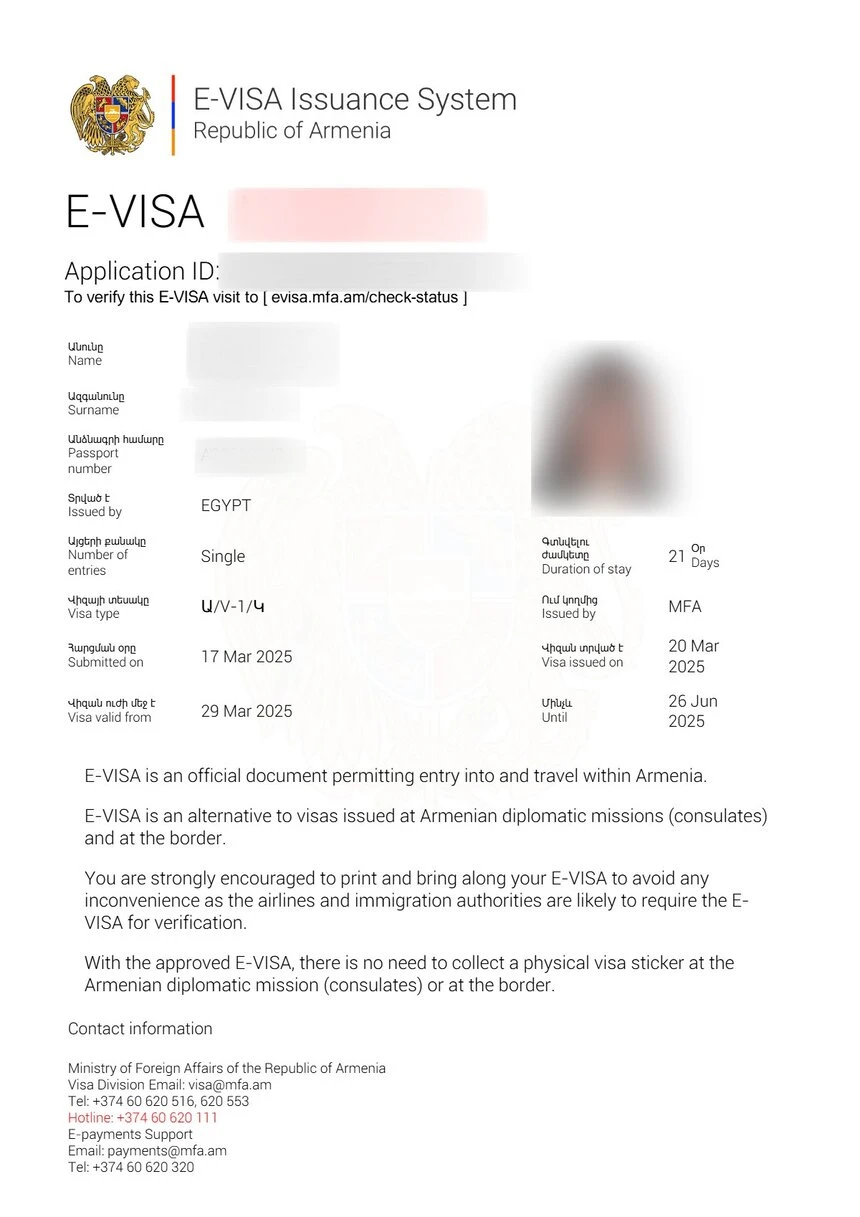
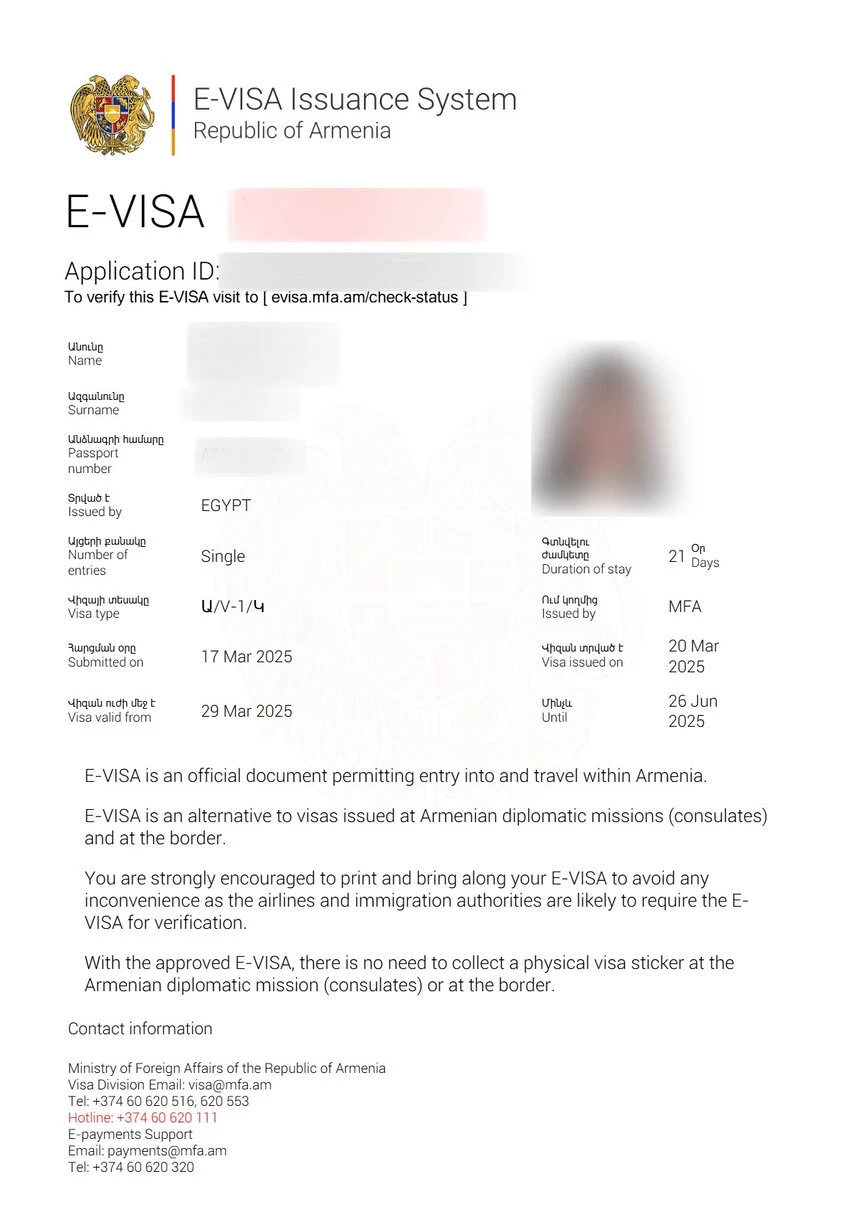
Approved: Your visa has been granted. You can download the e-visa document directly from the portal. A notification email with the download link is also sent to your registered email address.
Denied: Your application has been rejected. The portal may display a reason for the denial. Common reasons include incomplete documentation, information mismatches, or eligibility issues.
Additional Information Required: The processing authority needs more documents or clarification. Check your email for specific instructions on what additional information to provide and the deadline for submission.
Under Review: Your application requires extended processing, often due to additional security screening or verification. This status is less common and typically affects applicants from certain nationalities.
For a complete breakdown of processing timelines and what affects them, see our Armenia visa processing time guide.
What to Do If Status Shows Pending
A “Pending” status is the most common indicator during the processing period. If your Armenia visa status remains pending beyond the expected processing time, consider these steps:
- Verify the processing timeline. Standard e-visa processing takes 2-5 business days. If fewer than 5 business days have passed since submission, the application is likely still within normal processing parameters.
- Check your email regularly. The processing team may send requests for additional information via email. Missing these communications can delay your application indefinitely.
- Log into the portal daily. Status updates appear on the portal before email notifications are sent in some cases.
- Verify your payment was processed. Fee payment confirmation is required before processing begins. If your payment was declined or is still pending, your application will not progress.
- Contact the Ministry of Foreign Affairs if more than 7 business days have passed without a status change. Provide your application number and the email address used for registration.
Understanding the different Armenia visa types and their respective processing requirements can also help you set realistic expectations for how long your specific application should take.
Contacting the Embassy for Status Updates
If the online portal does not resolve your query, you can contact the Armenian Ministry of Foreign Affairs or your nearest Armenian embassy or consulate for direct assistance with your visa status.
Ministry of Foreign Affairs of Armenia:
- Website: mfa.am
- Phone: +374 10 544-041
- Email: Available through the contact form on mfa.am
- Address: Government House 2, Republic Square, Yerevan 0010, Armenia
When contacting the embassy, have the following information ready:
- Your full name (as it appears on your passport)
- Passport number
- Application reference number
- Email address used for the application
- Date of application submission
- Visa type applied for
Embassy staff can verify your application status and, in some cases, expedite processing if there are compelling reasons such as medical emergencies or time-sensitive business travel.
For a complete guide to the Armenia e-visa system and official resources, visit our Armenia eVisa guide.
Common Issues and Troubleshooting
Applicants occasionally encounter issues when checking their Armenia visa status. Here are the most common problems and their solutions:
Cannot log into the portal: Ensure you are using the same email address and password from your original registration. If you have forgotten your password, use the “Forgot Password” link on the login page to reset it.
Application number not recognized: Double-check that you are entering the complete reference number without spaces or typos. If the number was provided in an email, copy and paste it directly.
Status has not changed in over 5 business days: This may indicate that additional review is needed. Contact the Ministry of Foreign Affairs with your application details for clarification.
No confirmation email received: Check your spam/junk email folders. Some email providers filter messages from government domains. If the email is not found, log into the portal directly to check your application status.
Portal is not loading: Try clearing your browser cache, using a different browser, or accessing the site from a different device or network. Government portals occasionally experience temporary downtime during maintenance windows.
Frequently Asked Questions
How do I check my Armenia visa status online?
Log into your account at evisa.mfa.am using the email and password you registered with. Navigate to “My Applications” to view the current status of your visa application.
How long does it take to get an Armenia visa approved?
Standard processing takes 2-5 business days. You can check the status at any time through the official portal at evisa.mfa.am.
What does “Pending” status mean for my Armenia visa?
A “Pending” status means your application is currently being processed. This is the normal status during the 2-5 business day processing period. No action is required from you at this stage.
Can I check my Armenia visa status without an application number?
Yes. You can log into your account at evisa.mfa.am with your email and password. All your applications are listed under “My Applications” without needing to enter a separate reference number.
What should I do if my Armenia visa is denied?
If your application is denied, check the reason provided on the portal. You can correct the issue and reapply. Common reasons for denial include incomplete documents, invalid passport, or information mismatches.
Will I be notified when my Armenia visa is approved?
Yes. You will receive an email notification when your visa status changes to “Approved.” The email includes a link to download your e-visa document.
Can I check someone else’s Armenia visa status?
No. Visa status information is private and can only be accessed by the applicant using their own login credentials. This protects applicant privacy and data security.
My status shows “Additional Information Required.” What do I do?
Check your email for specific instructions from the processing authority. You will need to provide the requested documents or information within the specified deadline to continue processing.
How often is the Armenia visa status updated?
Status updates are reflected in real-time on the portal. However, there may be a delay of several hours between an actual processing decision and the status update appearing online.
Is there a way to expedite my Armenia visa if it is still pending?
Armenia does not offer a formal expedited processing option. If your application has been pending for more than 7 business days, contact the Ministry of Foreign Affairs directly for assistance.
Last updated: July 2026. Information based on the official e-visa portal at evisa.mfa.am and the Armenian Ministry of Foreign Affairs. Procedures and contact details may change.